
Process Automation Solutions: Benefits and How to Choose the Right One
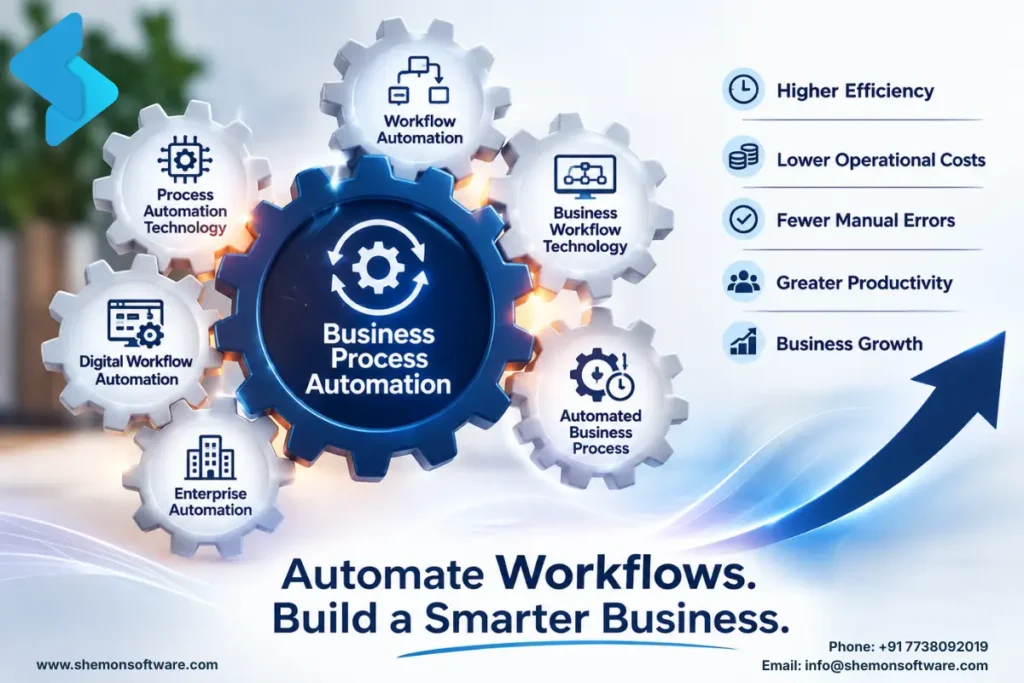
Process automation solutions help businesses automate repetitive tasks, connect different systems, streamline workflows, and reduce manual errors. Instead of spending hours on data entry, approvals, follow-ups, and other routine work, teams can let software handle these processes automatically.
As businesses grow, their processes often become more complex, and manual work can quickly become difficult to manage. This is where process automation solutions can make a difference. By automating repetitive and error-prone tasks, businesses can improve efficiency, keep workflows moving, and give employees more time to focus on work that requires human judgment and expertise.
What Are Process Automation Solutions?
Let’s keep this simple. Process automation is the practice of using technology to complete tasks that a person would otherwise do manually, things like data entry, approvals, notifications, invoice generation, or customer follow-ups.
At the heart of this is business process automation, which refers to automating entire workflows across departments, not just one isolated task, but the full chain of steps that make up a business process, from start to finish.
Think of it like this: instead of an employee manually forwarding an invoice for approval, sending a reminder if it’s ignored, and then updating the finance sheet once approved, a system does all three steps on its own, instantly, and error-free.
How Does Process Automation Software Work?
This is where process automation software enters the picture. It’s the actual tool or platform that powers the automation; think rule-based engines, AI-driven bots, or integration platforms that connect your existing apps and trigger actions automatically.
Good automation software typically does a few things really well:
- Connects different tools (like your CRM, email, and accounting software) so they “talk” to each other
- Triggers actions automatically based on rules (for example, “if invoice is over $1000, send for manager approval”)
- Reduces the need for manual data entry across systems
- Tracks every step so nothing falls through the cracks
- Sends real-time alerts and notifications to the right people
The right software doesn’t just save time; it removes the guesswork from your operations.
What Problems Do Business Process Automation Solutions Solve?
Every business eventually hits a wall where manual processes just can’t scale anymore. This is usually when companies start looking for business process automation solutions end-to-end systems designed to fix specific operational bottlenecks rather than just automate one task in isolation.
Here’s what these solutions typically help with:
- Eliminating repetitive manual work across teams
- Reducing human error in data entry and reporting
- Speeding up approvals, onboarding, and internal processes
- Giving leadership real-time visibility into what’s happening across departments
- Freeing up employees to focus on strategic, high-value work
Instead of automating one small piece, a solution looks at your entire operation and fixes the process, not just the symptom.
How Workflow Automation Solutions Improve Business Operations
Every business runs on workflows, the step-by-step sequences that get work done. When these workflows are automated, they run faster, cleaner, and without the constant back-and-forth that slows teams down. This is where workflow automation solutions make the biggest visible difference.
Common examples include:
- Employee onboarding, where documents, approvals, and access are set up automatically
- Lead assignment, where new leads are routed to the right salesperson instantly
- Purchase order approvals that move through the chain without manual follow-ups
- Customer support tickets that get categorised and assigned without human sorting
Once workflows are automated, the ripple effect is huge; teams stop waiting on each other and start moving in parallel.
Benefits of Automated Business Processes
When companies successfully implement automated business processes, the results tend to show up fast: fewer delays, fewer errors, and a noticeable drop in the “who forgot to do this?” conversations. Tasks that used to take hours now happen in minutes, often without anyone even touching a keyboard.
This shift also brings a cultural change. Employees stop firefighting repetitive issues and start spending time on problem-solving, strategy, and customer relationships- the things that actually move a business forward.
How Enterprise Process Automation Supports Large Businesses
Big companies have a lot of things going on at the same time. They have departments, old systems, rules they have to follow and thousands of things happening every day. This is where automation of business processes becomes really important.
At this size, automation is not about making things easier; it is about:
- Maintaining consistency across teams and many locations
- Making sure everything is done correctly and ready for audits with paperwork
- Working with systems without causing problems
- Handling a lot of transactions without needing to hire people
Enterprise automation needs to be secure, scalable, reliable, and capable of handling high transaction volumes because when you are that big, even small mistakes can cost a lot of money very quickly. Enterprise process automation is essential for companies like these and keeps everything running smoothly.
Process Automation vs. Manual Processes
| Factor | Manual Processes | Process Automation |
|---|---|---|
| Data entry | Employees enter data manually | Data can move automatically between systems. |
| Approvals | Requires emails and follow-ups | Automated approval workflows |
| Human errors | Higher chance of mistakes | Reduced repetitive errors |
| Processing time | Can take hours or days | Many tasks can happen in minutes |
| Tracking | Often requires manual checking | Real-time workflow tracking |
| Scalability | Requires more employee effort | Processes can handle higher volumes |
| Notifications | Employees send reminders | Automated alerts and notifications |
| Reporting | Manual reporting | Automated data collection and reporting |
Process Automation vs. Manual Processes
Not every business has an in-house team that can design, build, and maintain automation systems, and that’s completely fine. This is where process automation services come in, offering expert support to assess your workflows, design the right system, implement it, and maintain it over time.
Working with a specialised team means you get:
- A proper audit of where your processes are actually breaking down
- Custom-built solutions instead of generic, one-size-fits-all tools
- Faster implementation without the trial-and-error learning curve
- Ongoing support as your business scales and needs evolve
At Shemon Software, this is exactly the kind of hands-on partnership we bring, mapping your real SOPs and building automation around how your team actually works, not the other way around.
How to Choose the Right Workflow Automation Software
Finally, let’s talk about tools. Workflow automation software is the specific technology stack you use to design, run, and monitor your automated workflows, things like AI-powered bots, API integrations, RPA tools, or custom-built platforms.
When picking the right tool, look for:
- Easy integration with your existing tech stack
- Flexibility to adapt as your workflows change
- Clear reporting and visibility into automation performance
- Scalability, so it grows with your business instead of becoming a bottleneck
The best tool isn’t always the most popular one; it’s the one that fits your specific processes.
Common Process Automation Challenges
Ask yourself these questions:
- Are your teams spending hours on repetitive, manual tasks?
- Do errors keep creeping into your data because of manual entry?
- Are approvals and handoffs slowing down your operations?
- Is it getting harder to scale without adding more people?
If you answered yes to even two of these, it’s probably time to explore automation for your business.
FAQs
If your team spends too much time on repetitive tasks, manual data entry, or follow-ups, automation can help.
Start with a repetitive process that takes significant time or frequently causes delays and errors.
Yes. Automation can connect tools like CRMs, accounting software, email, WhatsApp, and spreadsheets.
Not necessarily. You can start with one high-impact workflow and expand as your needs grow.
A good automation solution can be updated as your workflows, teams, and business requirements change.
Simple workflows can use existing tools, while complex or unique processes may benefit from custom automation.
Identify one repetitive, time-consuming process and assess how much time, money, or effort automation could save.
Examples include invoice approvals, employee onboarding, lead assignment, customer support ticket routing, notifications, data synchronisation, and reporting.
Workflow automation generally focuses on automating a specific sequence of tasks, while process automation can involve a broader business process that may span multiple workflows, teams, and systems.
Ready to identify where automation can save your team time and reduce manual work? Shemon Software can help you evaluate your existing workflows, identify automation opportunities, and build solutions around your business processes. Book a free discovery call to get started
Tags
Process Automation Solutions
Business process automation


