
Never Miss a Customer Again: The Easy Guide to Your 24/7 WhatsApp Helper
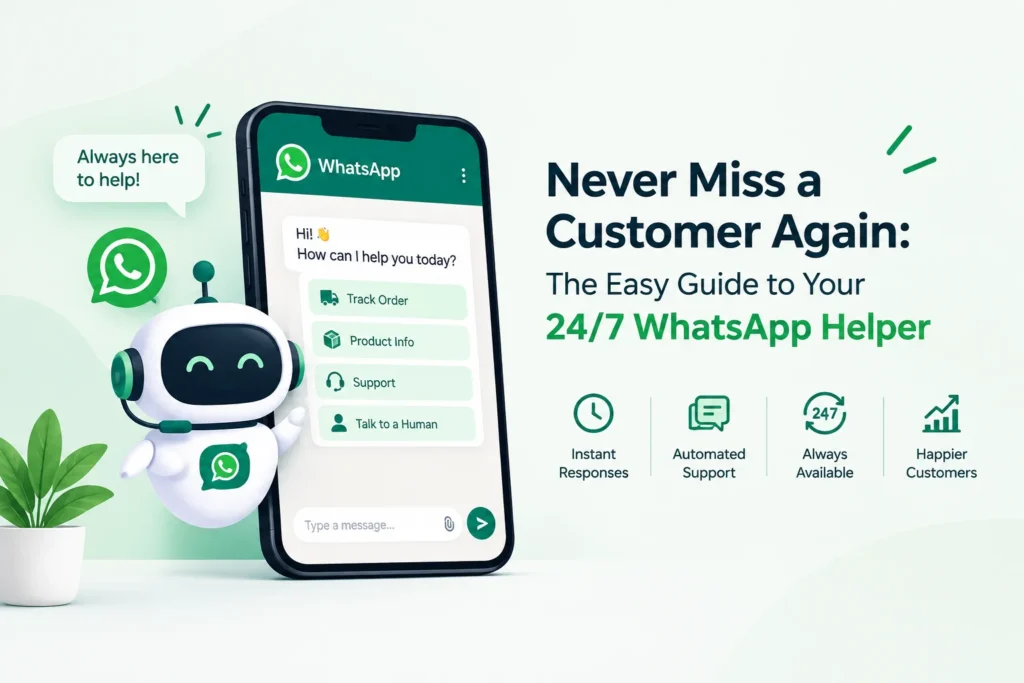
Picture this. A customer messages your shop at 10 PM: “Do you deliver to my area?” You are asleep. By morning, they have bought from someone else.
This happens to many businesses. People want quick answers, and they want them on WhatsApp. An AI chatbot for WhatsApp Business is a smart helper that answers common questions for you, day and night. This guide explains it in plain words. You will learn what it does, how to start, and what to avoid. You don’t need any technical knowledge.
Quick Summary
- Problem: Customers want instant replies, but you can’t be online 24 hours a day.
- What you’ll learn: What the helper does, how it works, how to start, and which mistakes to avoid.
- Key takeaway: Let the helper handle simple, repeated questions. Keep angry or sensitive chats for real people.
- Benefit: Faster replies, less stress, and more time for important work.
Meet the Team Member Who Never Sleeps
Think of an AI chatbot for customer service as a polite front-desk assistant who never takes a break. A customer types a question. The assistant reads it and sends a helpful answer in seconds.
Old bots only understood fixed buttons, like “Press 1 for delivery.” Today’s WhatsApp conversational AI understands normal sentences. It even copes with spelling mistakes. “Where is my parcel?” and “order not came” both get the right reply.
Why Your Customers Won't Wait
Your customers are already on WhatsApp. Meta has reported that over 3 billion people use it every month.
The main AI chatbot benefits are easy to see:
- Speed: Answers arrive in seconds.
- Savings: You don’t need extra staff for every question.
- Consistency: Everyone gets the same correct answer.
- Happier team: Your staff stop repeating themselves all day.
5 Jobs It Can Do While You Rest
A WhatsApp customer support chatbot can handle many daily tasks:
- Share prices, timings, and addresses
- Tell customers where their order is
- Book appointments
- Collect names and phone numbers from new buyers
- Pass difficult chats to your team
From "Hi" to Answer in 4 Steps
Here is how WhatsApp chatbot automation works behind the scenes:
- The customer sends a message.
- The helper figures out what they want.
- It finds the answer in your information, such as your price list.
- It replies. If the question is hard, it calls a human.
It runs on the official WhatsApp Business Platform. Meta charges for some messages, so check its pricing page before you plan your budget.
Meet Meera: The Baker Who Got Her Mornings Back
Meera runs a small bakery. Every day, people ask, “Is the chocolate cake available?” and “Can you deliver today?” She spends two hours answering the same things.
She sets up a helper to answer those two questions. Cake orders with special requests still go to Meera. Now her mornings are free for baking, and customers get replies even at midnight. Your results will vary, so note how many messages you get before you start.
Make It Smarter: Plug It Into Your Tools
A helper is smarter when it can see your records. WhatsApp chatbot integration means linking it to tools you already use:
- Customer list (CRM): Saves every chat with the customer’s name
- Online store: Checks stock and order status
- Calendar: Books appointments
- Payment tool: Sends payment links
Start with just one. Add more later.
5 Questions to Ask Before You Choose
There are many WhatsApp chatbot solutions. Choose based on your needs, not on a long feature list.
| Ask this | Why it matters |
|---|---|
| Is it easy to set up? | You shouldn't need a developer |
| Can it pass chats to a human? | Some problems need a person |
| Does it support my language? | Customers prefer their own language |
| Is the pricing clear? | Avoid surprise bills |
| Is my customers' data safe? | Trust is everything |
5 Mistakes That Make Customers Walk Away
- Automating everything. Angry customers need a human voice.
- Hiding the “talk to a person” option. Always offer it.
- Not testing first. Try it with real questions from your customers.
- Messaging people who didn’t agree to it. Always get permission.
- Forgetting to check chats. Read the failed ones and fix them.
Your 4-Step Launch Plan
- Write down your 10 most common questions.
- Pick 3 to automate first.
- Test with a few friends or regular customers.
- Review after two weeks and improve.
FAQs
Yes, if you use the official WhatsApp Business Platform.
Not for most ready-made tools. They use simple drag-and-drop screens.
You pay a tool fee plus Meta's message charges. Check current rates before you decide.
Yes. A short note builds trust.
A good one passes the chat to your team with the full history.
The Bottom Line: Let Software Do the Boring Work
You don’t have to answer every message yourself. Let the helper take the simple, repeated questions, and keep the human touch for the chats that matter. Start small, test often, and improve a little each week.
Your next step: Write down your 10 most common customer questions today.
Not sure where to begin? Send us your list, and our team will happily suggest a simple starting plan, with no obligation.
Tags
AI chatbot for WhatsApp Business
WhatsApp customer support chatbot


