
How Business Workflow Automation Gives Your Team Its Time Back
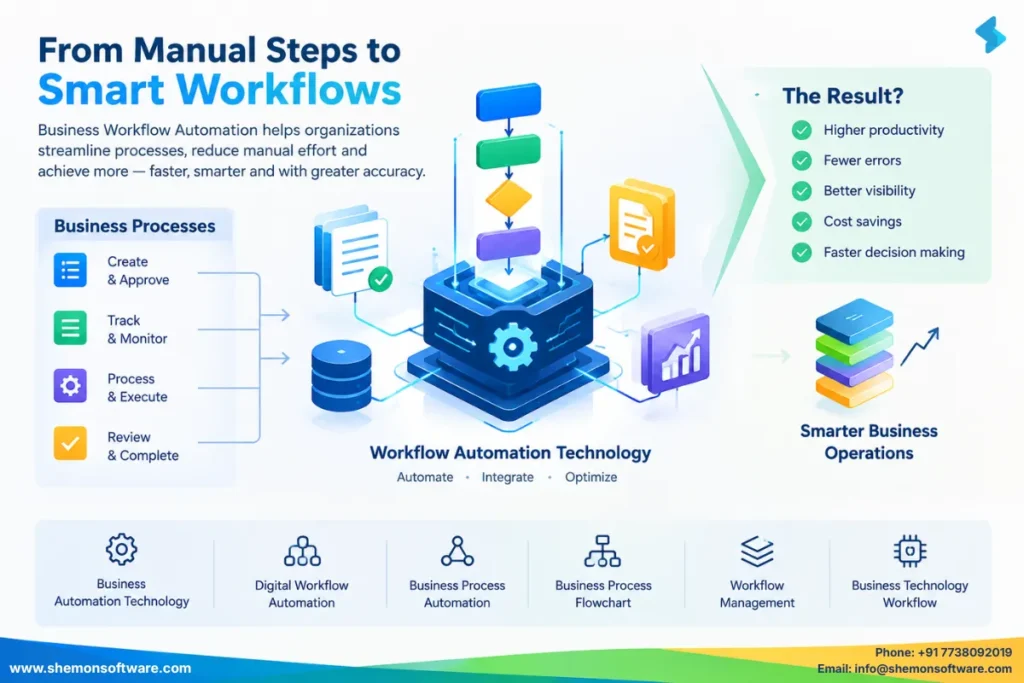
Imagine the following scenario. An individual from your company uses up forty minutes of his time each morning to copy some data from one spreadsheet to another for approval by the manager so that he can send an email with it to another department. Nobody likes this job. It doesn’t increase your revenue; it simply has to be done every day.
That’s exactly what business process automation is supposed to tackle. As businesses grow, their procedures tend to get even more complicated. Approvals accumulate in inboxes. The same information needs to be typed twice. Minor errors lead to huge delays. Valuable resources are wasted on tedious jobs instead of being used efficiently.
It’s time to get down to brass tacks.
Key Takeaways
- The issue: Time-consuming manual and repetitive business processes can be inefficient and error-prone.
- Blog topics: Workflow automation defined; its mechanics; pros; actual examples; mistakes to avoid; best practices.
- The gist: Repetitive workflow automation saves time for your employees and lets you scale your business efficiently without hiring more people.
- The advantage: More efficient approvals, fewer errors, better employee satisfaction, and more focus on important tasks.
Signs Your Business Has Outgrown Manual Workflows
In most cases, inefficiency is never the goal of any organization. It builds slowly over time. A process which ran smoothly with five members becomes inefficient with fifty. A task which took an hour to be approved takes three days to be done because it goes through the inbox of five people.
The following are typical characteristics of a manual process:
- Entry of data manually into different systems which don’t communicate with one another
- Approval processes via email chains which could easily be forgotten or lost
- Manual creation of reports weekly from scratch
- Onboarding processes using manual checklists on paper or mentally
- Inconsistent management of customer’s needs based on who takes them up
This is not the fault of anyone. This is what happens when a company outgrows its processes. The good news is that this is exactly the challenge that business process automation aims to solve.

What Is Business Workflow Automation?
Fundamentally, workflow automation implies the utilisation of software to take care of tasks that are repetitive in nature and require rules to be followed. The difference between workflow automation software systems doing everything automatically without any human intervention lies in the fact that the former takes care of repetitive elements, while human beings do the work that needs to be done using human intelligence.
Examples of common tasks that are taken care of by workflow automation include:
- Sending an invoice for approval to the right person automatically
- Notifying a manager when a task is overdue
- Moving a new employee’s paperwork through onboarding steps
- Updating a customer record across multiple systems at once
What's Driving the Shift Toward Automation
Firms nowadays have to accomplish more work while employing the same number of workers. Budgets are shrinking, hiring is taking place much more slowly, and customers are getting impatient compared to even a few years back.
According to the research on automation conducted by McKinsey, there is a considerable amount of daily tasks undertaken by people that include activities that can be very easily automated. This is a considerable part of people’s daily time of people which could otherwise be dedicated to much more productive tasks.
Moreover, there is an aspect of talent here as well. Workers who are busy with copy-and-paste work every day become disengaged much sooner than those doing something valuable.
How Automation Pays Off
Let’s break down what businesses actually gain when they adopt automated business processes.
Time Saving
Tasks that used to take hours can often be completed in minutes once the manual steps are removed. Approvals that sat in an inbox for two days can now happen within minutes of submission.
Fewer Errors
When a human retypes the same data into three different systems, mistakes creep in. Automated workflows move data directly from one system to another, cutting down on typos and mismatched records.
Better Visibility
Good automation tools give you a dashboard showing exactly where every task or request stands. No more chasing people down to ask, “Hey, did you approve that yet?”
Improved Employee Experience
Nobody was hired to spend their day manually forwarding emails. Removing that busywork lets people focus on the parts of their job that require actual thinking and creativity.
Scalability Without Adding Headcount
As your business grows, automated processes can usually handle more volume without needing a proportional increase in staff, which directly supports stronger business workflow management.
| Factor | Manual Workflow | Automated Workflow |
|---|---|---|
| Processing time | Hours/days | Minutes |
| Errors | Higher risk | Reduced |
| Tracking | Manual | Real-time |
| Approvals | Email/manual | Rule-based |
| Scalability | Requires more effort | Handles higher volume |
| Reporting | Manual | Automated |
The Mechanics of a Workflow Automation System
You do not need to be a developer to understand the basics. Most modern automation platforms follow the same general pattern.
Step 1: Map the Existing Process
Before automating anything, you need to write down exactly how the process works today, step by step, including who is involved at each stage.
Step 2: Identify the Repetitive Parts
Not every part of a process should be automated. Look specifically for the steps that are repetitive, rule-based, and do not require human judgment.
Step 3: Set Up Triggers and Rules
A trigger is the event that kicks off the automation, like a form submission or a new record being created. From there, you set rules like “if the invoice is over ten thousand dollars, send it to the finance director for approval.”
Step 4: Connect Your Systems
Most workflow management software connects to the tools you already use, such as your CRM, email platform, or accounting software, so data flows between them automatically.
Step 5: Test and Refine
Automation is rarely perfect on the first try. Run it alongside the manual process for a short period, fix any gaps, and then fully switch over.
Must-Have Features in Workflow Automation Tools
When evaluating workflow automation solutions, a few features tend to separate the useful tools from the frustrating ones:
- Drag and drop workflow builders that do not require coding knowledge
- Pre built integrations with common business tools like Slack, Gmail, and Salesforce
- Conditional logic so workflows can branch based on different scenarios
- Real time reporting so managers can see bottlenecks as they happen
- Mobile access so approvals can happen from anywhere
- Audit trails for compliance and accountability
Some businesses eventually outgrow off-the-shelf tools and move toward custom workflow software built specifically around their internal processes, especially when their needs are unusually complex or industry-specific.
How Different Teams Use Automation Every Day
Automation occurs in almost all departments. Let us look at some real-world examples.
Human Resources
In a mid-size firm, the process of onboarding of the new hires has been automated such that after signing an offer letter, an employee’s account gets automatically created along with the order for the necessary equipment and a series of automated welcome emails are sent. What took two days for a coordinator to coordinate manually is now almost completely automated.
Finance
The accounting team automated the process of approving invoices where, depending upon the size of the invoice, the automation approves or routes the invoice to the appropriate person in under a day, which previously took four days.
Customer Support
Support team automated their ticket process in such a way that all the tickets are automatically tagged and then sent to the right specialist without being stuck in the common email queue awaiting manual sorting.
Sales
Sales teams linked their email and CRM such that any new lead automatically triggers a follow-up sequence.
Tips for a Smooth Transition
- Begin with just one difficult and repeated process instead of automating everything in your organisation at once.
- Bring into the design of the new process those people in your organisation who currently carry out the process.
- Ensure clear documentation of the rules to make it easy for everyone to see why the automation is behaving as it is.
- Schedule a regular review, say every three months, to verify that the process is still reflective of your organization’s operations.
- Have a before-and-after measurement process to evaluate the actual effect, as opposed to making assumptions.
- Select technology solutions that will fit with what you have as opposed to something entirely new.
Where Workflow Automation Is Headed
Workflow automation continues to evolve quickly, and a few trends are worth keeping an eye on.
- AI-powered decision-making is increasingly being layered into workflows, allowing systems to handle more nuanced cases without needing a person to step in.
- Low-code and no-code platforms are making it easier for non-technical teams to build and adjust their own workflows.
- Cross-department automation is becoming more common, connecting processes that used to live in separate departmental silos.
- Predictive automation is starting to anticipate bottlenecks before they happen, rather than simply reacting to them.
According to Gartner, hyperautomation remains one of the top strategic technology trends organizations are investing in as they look to streamline operations at scale.

FAQs
No. Small and mid-sized businesses often benefit the most, since they typically have fewer people available to absorb repetitive manual work.
Automation typically handles repetitive tasks, freeing employees to focus on work that requires judgment, creativity, and relationship building rather than replacing people outright.
Simple workflows can often be set up within days, while more complex, multi-department processes may take several weeks to design and test properly.
Workflow automation focuses on automating specific repetitive tasks, while business process management takes a broader view of designing, monitoring, and continuously improving entire processes.
Most platforms allow you to adjust rules, triggers, and steps as your business needs change over time.
Costs vary widely depending on complexity, but many businesses see the investment pay for itself through time saved and errors avoided within the first several months.
Manual, repetitive work does not make your business more careful or more thorough; it just makes it slower. Business workflow automation gives your team a way to remove that friction, one process at a time, without needing to overhaul everything overnight.
Start small. Pick one process that frustrates your team the most, map it out, and automate the repetitive parts. Measure the results, learn from them, and expand from there. Over time, these small wins add up into a business that runs noticeably smoother, with people spending their energy on work that actually moves things forward.
Tags
Business Workflow Automation
Workflow automation software


