
Business Process Automation for Better Productivity and Growth
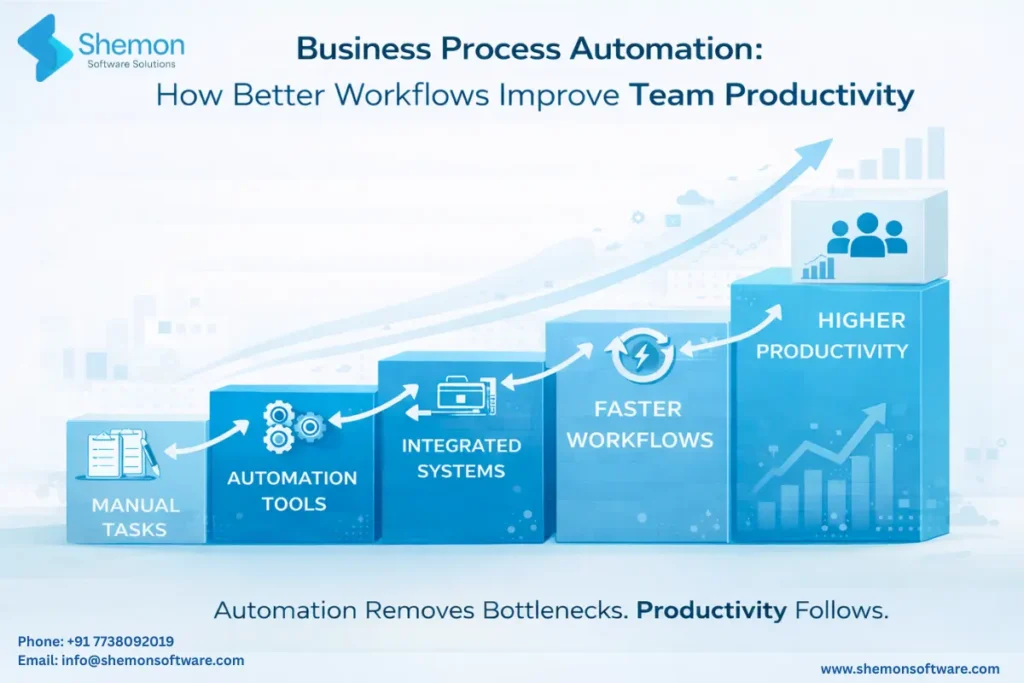
There’s a difference between a team that’s always busy and a team that’s actually productive. In most businesses, a significant chunk of every working day disappears into tasks that are repetitive, manual, and frankly, shouldn’t need a human at all. Data entry, approval chains, status update emails, invoice processing, report generation, the list goes on.
This is exactly the problem that business process automation solves. Not by replacing people, but by removing the low-value work that gets in the way of the high-value work your team was actually hired to do.
According to McKinsey, 66% of organisations have already automated at least one business function. The ones that haven’t are steadily losing ground to those that have.
Why Manual Workflows Are Silently Killing Productivity
Most businesses don’t realise how much time and money manual processes are costing them, because the losses are invisible. There’s no single moment where everything breaks. It just quietly drains the organisation every single day.
What manual workflows actually cost you:
- Hours lost every week to tasks a system could handle in seconds
- Errors from copy-pasting data across tools and spreadsheets
- Delays caused by approvals sitting in someone’s inbox
- No visibility into where a task or request currently stands
- Inconsistent outputs because every person does things differently
- Team frustration and burnout from work that feels pointless
Research shows that automating workflows can reduce errors by up to 70% and that 95% of IT professionals reported increased productivity after implementing process automation. These aren’t marginal gains, they’re fundamental shifts in how a business operates.
What Is Business Process Automation?
Workflow automation solutions use technology to execute tasks, route information, trigger actions, and move work through a process, automatically, based on predefined rules, without requiring manual intervention at every step.
Common processes businesses automate:
- Invoice generation and payment approvals
- Employee onboarding and offboarding
- Lead capture and CRM data entry
- Customer support ticket routing
- Inventory alerts and purchase order triggers
- Report generation and distribution
- Document approvals and e-signatures
- Scheduling and calendar management
If a process follows a predictable pattern, it can almost certainly be automated.
How Business Process Automation Actually Works
Step 1 – Map the process – Identify every step, every handoff, every decision point, and every tool involved in a workflow.
Step 2 – Identify the triggers – What starts the process? A form submission, an email, a date, a threshold being crossed?
Step 3 – Define the rules- What happens at each step? Who gets notified? What gets created? What needs approval?
Step 4 – Build and connect – Using process optimization tools or custom-built platforms, the workflow is built and connected to your existing systems, CRM, ERP, communication tools, databases.
Step 5 – Monitor and improve – Track performance, spot bottlenecks, and continuously refine the workflow as the business evolves.
Key Benefits of Automating Your Business Workflows
Time Savings at Scale
Team productivity automation compounds over time. A task that takes 10 minutes manually, done 50 times a day across a team, is over 40 hours a week. Automate it, and you’ve effectively added a full-time resource without hiring anyone.
Where time savings are felt most:
- Finance teams – invoice processing, reconciliation, expense approvals
- HR teams – onboarding checklists, document collection, payroll inputs
- Sales teams – lead assignment, follow-up scheduling, pipeline updates
- Operations – order processing, fulfilment tracking, supplier communication
Fewer Errors, Better Consistency
Manual processes depend on people doing the same thing the same way every time. They don’t. Automated business workflows follow the same rules every single time, no exceptions, no shortcuts, no forgotten steps.
What consistency delivers:
- Accurate data across all systems without manual reconciliation
- Compliance-ready audit trails for every action taken
- Standardised customer experiences regardless of who’s handling the request
- Reduced rework and the cost that comes with fixing avoidable mistakes
Real Visibility Into What’s Happening
One of the most underrated benefits of automation is visibility. When work moves through a defined, automated process, you can see exactly where everything stands at any moment.
What visibility enables:
- Spot bottlenecks before they cause delays
- Know which approvals are pending and for how long
- Track team workload and identify capacity issues early
- Generate accurate performance reports without manual data collection
The Role of AI in Modern Workflow Automation
AI workflow automation takes process automation a step further, beyond simple rule-based triggers into intelligent decision-making.
What AI adds to automation:
- Reading and extracting data from documents, emails, and forms automatically
- Routing requests based on content, not just predefined categories
- Predicting bottlenecks before they happen based on historical patterns
- Flagging anomalies, unusual invoices, policy violations, outlier behaviour
- Learning from exceptions and improving routing decisions over time
AI adoption in business process automation is projected to grow from 74% in 2024 to 94% by 2029. For businesses planning their enterprise automation strategy, building AI readiness into the process now is not optional, it’s essential.
Where Automation Has the Biggest Impact by Department?
- Finance – invoice processing, expense approvals, financial reporting, reconciliation
- HR – onboarding workflows, leave management, payroll inputs, compliance tracking
- Sales – lead assignment, follow-up sequences, contract generation, CRM updates
- Operations – order management, inventory alerts, supplier workflows, fulfilment tracking
- Customer Support – ticket routing, SLA monitoring, escalation triggers, satisfaction surveys
- Marketing – campaign scheduling, lead nurturing, reporting, social media posting
Why Choose Shemon Software Solutions for Automation?
Most automation projects fail not because the technology doesn’t work, but because the workflows were never properly designed in the first place. Shemon’s approach is different.
What sets Shemon apart:
- Process-first thinking, we map and redesign your workflows before building anything
- Custom-built automation that fits your exact business logic, not a generic template
- End-to-end integration with your existing tools, CRM, ERP, billing, communication platforms
- AI-ready architecture so your automation can scale intelligently as your business grows
- Transparent delivery with real-time visibility at every stage of the build
FAQs
No. Small and mid-sized businesses benefit the most because automation saves time, reduces hiring pressure, and improves accuracy without increasing operational cost.
No. Automation removes manual, low value work, allowing employees to focus on decision making, customer experience, strategy, and revenue generating tasks.
Even automating a 10 minute task done multiple times daily can save dozens of hours every week across a team.
The cost depends on complexity, but in most cases the time saved, errors reduced, and faster execution quickly outweigh the investment.
You likely need automation if work is tracked in spreadsheets and emails, approvals are delayed, teams ask for status updates frequently, and reports take hours to prepare.
Conclusion
Business process automation is not about replacing your team. It’s about removing the work that was never worth their time in the first place, and giving them back the capacity to do what actually moves the business forward.
At Shemon Software Solutions, we help businesses identify, design, and build automation that actually gets used, from simple workflow triggers to complex, AI-powered enterprise systems.
Tags
AI Automation & Intelligent Workflows
Operations & Workflow Automation


